
Dawamee by Digital Pages
Your workday,
on time.
Attendance, time off, chat, calls and meetings for your whole team. On the phone and on the desktop, in English and Arabic.
One app for the working day
Everything your team does between check-in and check-out.
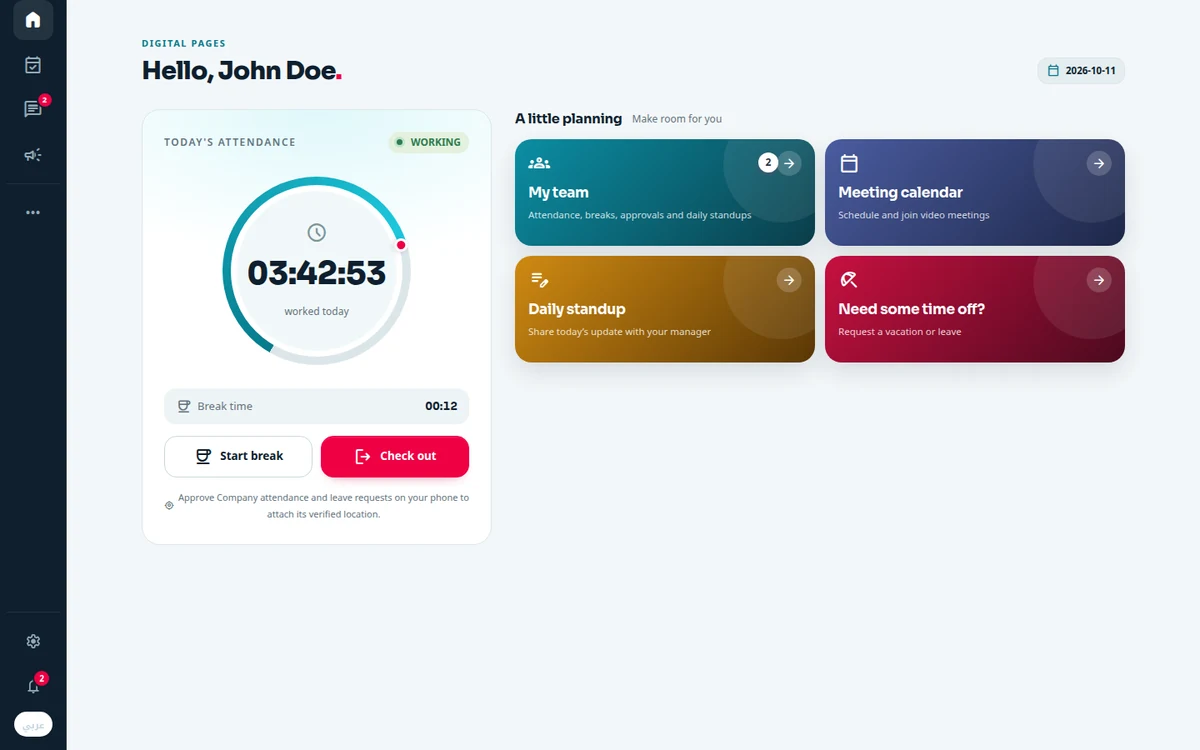
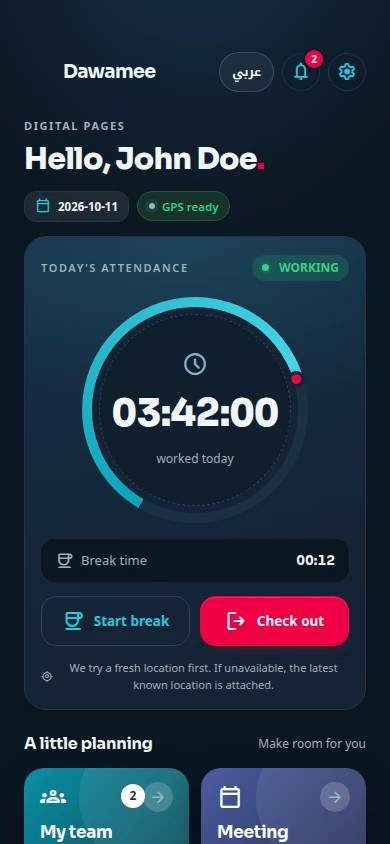
Attendance
Check in, take timed breaks with one of seven reasons, and check out. Location is stamped at the action only.
Time off
Request vacation, sick, hourly or unpaid leave, attach medical reports to sick leave, and edit or cancel a request while it is pending.
Chat and calls
Direct and group chats with voice messages, files and reactions. Voice and video calls, one to one or as a group.
Meetings
Schedule a video meeting for up to 15 colleagues. They get an email invitation, and a reminder when it starts.
News
Company announcements set as a newspaper front page, with reactions and polls.
Daily standup
Yesterday, today’s plan and blockers in a minute. Managers read the team’s updates and add their notes.
For managers
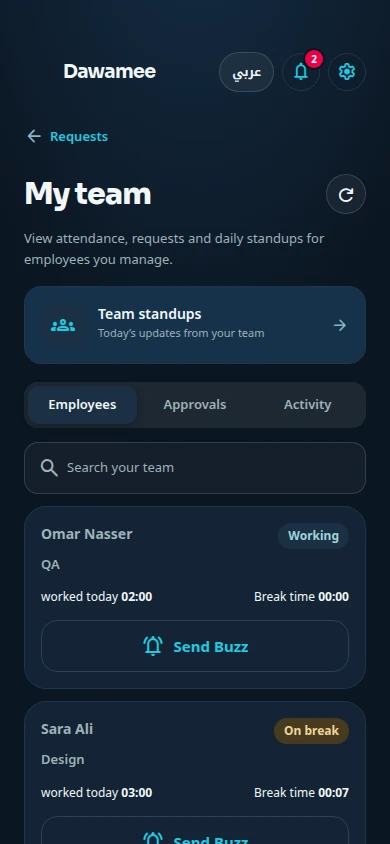
See who is working, on a break or checked out, live. Approve or reject requests from your phone.
Private by design
Optional biometric lock, no background location tracking, no advertising, and company chats encrypted in storage.
Attendance
Check in where you are
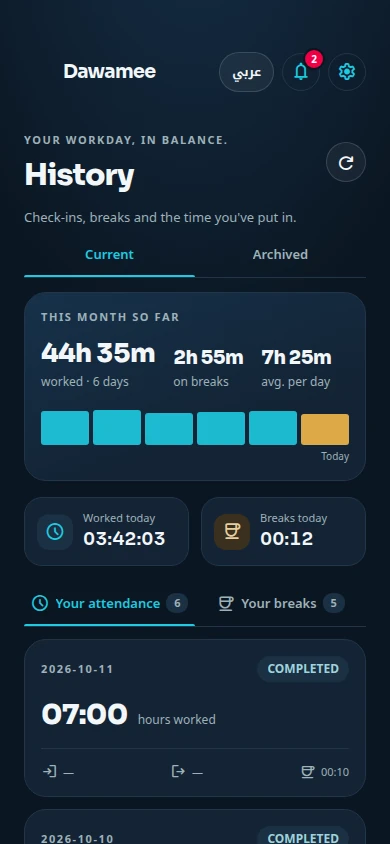
One tap starts your day, and a ring shows the time you have worked. Every action asks you to confirm first, then records your location once, at that moment.
- Seven break reasons, timed automatically
- History with your month so far, day by day
- Works offline in Personal mode, encrypted on the phone
Connect
Talk, call and meet without leaving
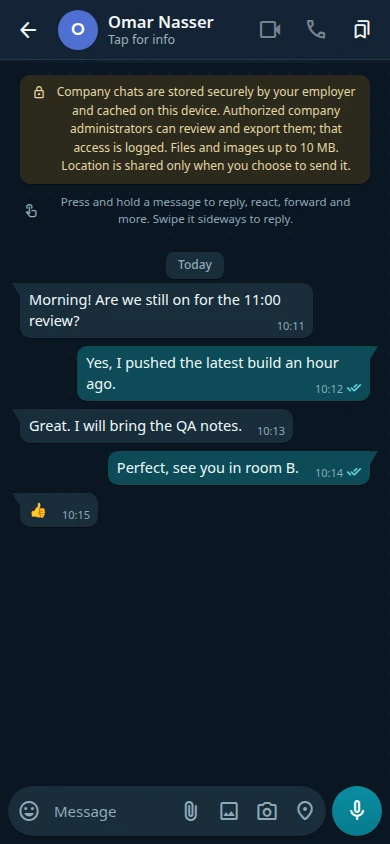
The people you work with are one tab away. Messages show when they are sent, delivered and read, and incoming calls ring on Android even when the app is closed.
- Groups, replies, reactions, pins and voice messages
- Voice and video calls, and video meetings with a calendar, email invitations and reminders
- Your status turns to Away on a break and In a call during a call
Company chats are encrypted in storage. Authorised company administrators can review and export them, and that access is logged.
Managers
Know who is in before you ask
A live view of your team, approvals in a couple of taps, and daily standups that show progress without a meeting.
- Working, on a break or checked out, updated live
- Approve or reject a request with a note the employee sees
- Send a Buzz when you need someone to get in touch
Platforms
On every screen you work on.
Dawamee for Android is available today. The iPhone and desktop apps are on their way.
-
Download
Android
Phones and tablets, Android 7 and later
-
Coming to the App Store
iPhone
The iOS app for iPhone
-
Coming soon
Windows
Installer for Windows PCs
-
Coming soon
macOS
Apple silicon and Intel Macs
-
Coming soon
Linux
AppImage, DEB and RPM packages
Plans
Three ways to run Dawamee.
Choose the one that fits when you first open the app. You can switch workspaces later in Settings.
Personal
For one person, on one phone.
- Attendance, breaks and leave records
- Encrypted on the device, with no account
- CSV export
Cloud
Hosted by Digital Pages. Invite your team by email.
- Attendance and time off for the whole team
- Chat, calls, meetings, news and standups
- Manager approvals and a live team view
- Desktop apps (coming soon)
Self-hosted
On your own server, with your own database.
- Attendance, leave, messages and news stay in your database
- Your own email and call servers
- Four-step setup in the app, once the server is installed
- Notifications pass through Digital Pages without message content
Contact
Bring Dawamee to your team.
Write to us about your team and we will answer by email, in English or Arabic.
Email support@dawamee.cloudThe form sends only the details you submit. You can also use your own mail app. This site has no trackers.
What to include
- How many people are on your team.
- Whether you want the cloud or your own server.
- Which platforms your team uses: Android, iPhone or desktop.
Help
Common questions.
- Does Dawamee track my location all day?
- Can I use it without a company?
- Is there an iPhone version?
- How do I delete my data?
Start your day on time.
Free for personal use. Company workspaces by invitation.